We Use CookiesWe use cookies to enhance the security, performance, functionality and for analytical and promotional activities. By continuing to browse this site you are agreeing to our privacy policy

10 Best Parental Control Routers 2026 in the United States

#1

Winner

10.0 score

Google Nest WiFi Pro - 6E - Reliable Home Wi-Fi System with Fast Speed and Whole Home Coverage - Mesh Router - 3 Pack - Snow

The Google Nest WiFi Pro is a strong choice if you want fast, reliable internet coverage across a large home, thanks to its mesh system of three routers covering up to 6600 square feet. It uses the latest Wi-Fi 6E technology, which means it supports three bands (2.4 GHz, 5 GHz, and 6 GHz) to help deliver speedy connections and reduce interference. Its parental control features allow you to see all connected devices, pause internet access for unknown or unwanted devices, and create a separate guest network with its own password—handy for managing kids' online time and keeping your main network secure.

Rating
10.0
Chosen by1,114
Coverage Area
Ease of Use
Number of Bands

Most important from
2332 reviews

Coverage Area
The mesh system delivers strong, steady speeds with coverage that easily blankets a multi-floor home and even extends to outdoor areas like driveways and gardens.
Ease of Use
Setup is straightforward and user-friendly through the Google Home app, with automatic device reconnection when using the same network name and password.
Number of Bands
The tri-band Wi-Fi 6E technology offers reliable high-speed connections, consistently achieving 500-600 Mbps near the router in challenging environments like condos with concrete walls.
Security Features
The system's self-monitoring and automatic software updates ensure ongoing improvements and stability without user intervention.
Parental Control Features
Parental controls and guest network features simplify managing device access and securing the main network, ideal for families.
#2
9.4 score

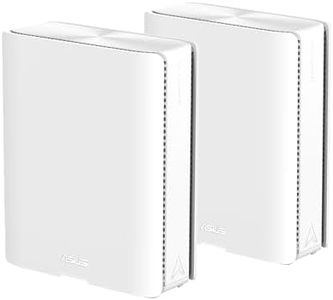
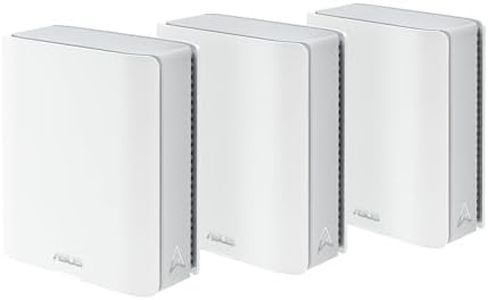
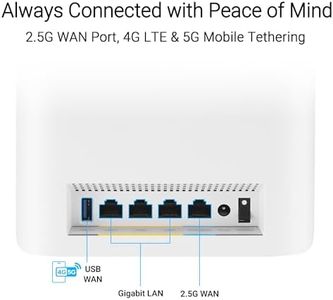
ASUS ZenWiFi BT10 Tri-Band WiFi 7 Mesh, 18 Gbps, 3000 sq.ft (1pk), Dual 10G Ports, Security and Parental Controls Included, Smart Home Master SSIDs, 4G & 5G Mobile Tethering

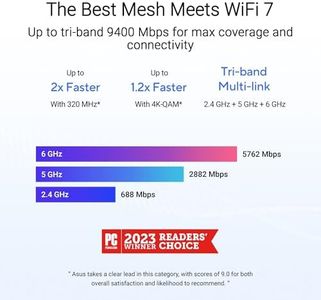
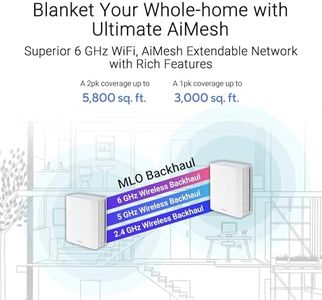
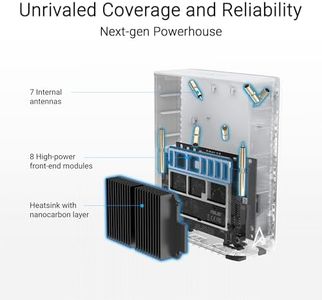
The ASUS ZenWiFi BT10 is a strong contender in the parental-control-router category, offering a range of features tailored for families. One of its standout strengths is its tri-band WiFi 7 capability, which can deliver speeds up to 18 Gbps. This high speed is particularly beneficial for households with multiple devices, ensuring smooth streaming, gaming, and browsing without interruptions. The coverage area of up to 3000 sq. ft. is impressive, making it suitable for larger homes, and the advanced antenna setup effectively reduces dead zones, providing reliable internet access throughout your space.

Rating
9.4
Ease of Use
Performance and Speed
Security Features

Most important from
674 reviews

Ease of Use
Setup is straightforward and quick, even with advanced configurations like AiMesh and Ethernet backhaul.
Performance and Speed
The ASUS ZenWiFi BT10 handles over 120 devices effortlessly, providing major performance increases for streaming and gaming.
Security Features
Built-in Ookla Speed Test and advanced security features like DNSSEC and DNS-over-TLS encryption enhance the user experience.
Device Compatibility
Integrated control of WAN, LAN, and WiFi parameters in one place makes management seamless and comprehensive.
#3
9.1 score

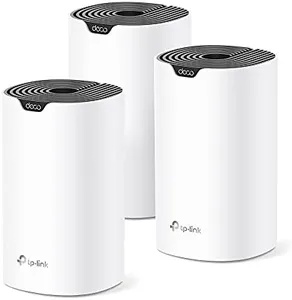
TP-Link Deco S4 Whole Home Mesh WiFi System - Up to 3,800 Sq.ft. Coverage, AC1900 WiFi Router and Extender Replacement, Parental Controls, Deco S4(2-Pack)

The TP-Link Deco S4 Mesh WiFi System is designed to enhance your home internet experience with extensive coverage, making it suitable for larger homes up to 3,800 square feet. Its use of Deco Mesh technology ensures a strong and consistent WiFi signal throughout your house, eliminating dead zones. This system is particularly useful for families due to its robust parental control features, allowing you to create unique profiles for each family member, limit online time, and block inappropriate websites, ensuring online safety for your children.

Rating
9.1
Parental Control Features
Ease of Use
Performance and Speed

Most important from
30785 reviews

Parental Control Features
Parental controls are robust and easy to manage through the app, offering peace of mind for families.
Ease of Use
Setup is incredibly easy and takes just 10 minutes with the intuitive Deco app.
Performance and Speed
The system handles multiple devices effortlessly, maintaining high speeds even with heavy usage.
Coverage Area
The Deco S4 provides strong and reliable WiFi coverage throughout a three-floor house, reaching even the yard.
Device Compatibility
The Deco S4 units include auto-sensing Gigabit Ethernet ports, making it easy to connect non-WiFi devices.

Top 10 Best Parental Control Routers 2026 in the United States

#1

Winner

10.0  score

Google Nest WiFi Pro - 6E - Reliable Home Wi-Fi System with Fast Speed and Whole Home Coverage - Mesh Router - 3 Pack - Snow

Parental Control Features: see devices, pause internet, guest network
Wi-Fi Standards: Wi-Fi 6E, 802.11ax
Coverage Area: 6600 square feet
Number of Bands: Tri-Band: 2.4, 5, 6 GHz
Security Features: secure boot, auto updates, self-fix
Ease of Use: self-fixes, easy setup, no troubleshooting

Chosen by 1114 this week

TP-Link Deco S4 Whole Home Mesh WiFi System - Up to 3,800 Sq.ft. Coverage, AC1900 WiFi Router and Extender Replacement, Parental Controls, Deco S4(2-Pack)

Parental Control Features: Unique profiles, limit time, block websites
Ease of Use: Easy setup, Alexa compatibility
Performance and Speed: AC1900 speeds, up to 75 devices
Coverage Area: Up to 3,800 square feet
Security Features: Strong security features
Device Compatibility: Personal Computer

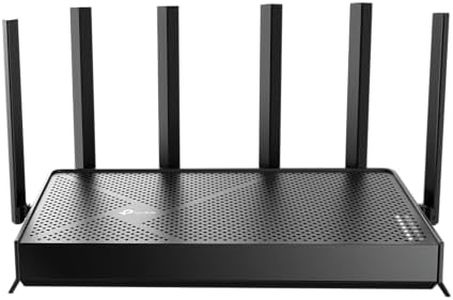
TP-Link Dual-Band AX3000 Wi-Fi 6 Router Archer AX55 | Wireless Gigabit Internet Router for Home | EasyMesh Compatible | VPN Clients & Server | HomeShield, OFDMA, MU-MIMO | USB 3.0 | Secure by Design
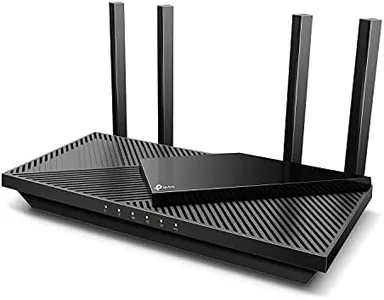
Parental Control Features: basic security features, limited parental controls
Ease of Use: easy installation, compatible with major ISPs
Performance and Speed: up to 2402 Mbps on 5 GHz
Coverage Area: expanded coverage with high-gain antennas
Security Features: protection against cyber threats, built-in VPN
Device Compatibility: Console, Camera, PC, Tablet, TV, Smartphone

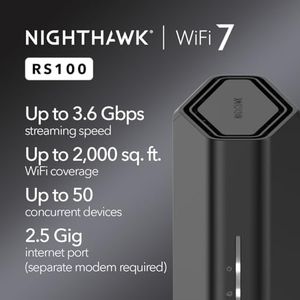
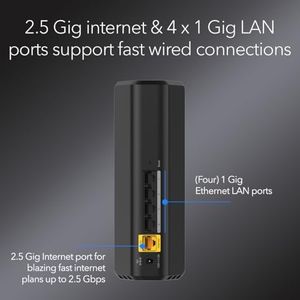
ASUS RT-BE58U WiFi 7 BE3600 AiMesh Extendable Router, 4K-QAM, MLO, AI Detection 2.5G Port, Four 1G Ports, Commercial-Grade Network Security, Parental Control, IoT Network, Kid’s Network, VPN Network

Parental Control Features: advanced parental control
Ease of Use: easy setup and management
Performance and Speed: WiFi 7, speeds up to 3600 Mbps
Coverage Area: AiMesh extendable feature
Security Features: AiProtection Pro, one-tap security scan
Device Compatibility: personal computers, smart home devices

ASUS RT-AX5400 Dual Band WiFi 6 Extendable Router, Lifetime Internet Security Included, Instant Guard, Advanced Parental Controls, Built-in VPN, AiMesh Compatible, Gaming & Streaming, Smart Home

Parental Control Features: Advanced controls, monitor and restrict usage
Ease of Use: Quick start guide, intuitive app
Performance and Speed: High-speed dual-band (2.4GHz, 5GHz)
Coverage Area: Medium to large homes
Security Features: Lifetime security, built-in VPN
Device Compatibility: Console, PC, Tablet, TV, Smartphone

ASUS RT-AX1800S Dual Band WiFi 6 Extendable Router, Subscription-Free Network Security, Parental Control, Built-in VPN, AiMesh Compatible, Gaming & Streaming, Smart Home

Parental Control Features: Built-in parental control, no subscription
Ease of Use: Quick start guide for setup
Performance and Speed: WiFi 6, MU-MIMO, OFDMA, dual-core processor
Security Features: AiProtection, ASUS Instant Guard VPN
Device Compatibility: Console, PC, Tablet, TV, Smartphone

TP-Link Smart WiFi 6 Router (Archer AX10) – 4 Gigabit LAN Ports, Dual Band 802.11AX Router, Beamforming, OFDMA, MU-MIMO, Parental Controls, Dual-Core 900MHz Processor, Works with Alexa

Parental Control Features: Manage and monitor children's internet usage
Ease of Use: User-friendly installation, Alexa compatibility
Performance and Speed: 300 Mbps on 2.4 GHz, 1201 Mbps on 5 GHz
Coverage Area: Reliable connections throughout the home
Device Compatibility: Console, PC, Smartphone, TV, Printer, Tablet
How do we rank products for you?

Our technology thoroughly searches through the online shopping world, reviewing hundreds of sites. We then process and analyze this information, updating in real-time to bring you the latest top-rated products. This way, you always get the best and most current options available.

headphones-stars

Buying Guide for the Best Parental Control Routers

When choosing a parental control router, it's important to consider several key specifications to ensure you get the best fit for your family's needs. Parental control routers help you manage and monitor your children's internet usage, providing a safer online environment. Understanding the key specs will help you make an informed decision and select a router that meets your requirements.
Parental Control FeaturesParental control features are the tools and settings that allow you to manage and restrict internet access for your children. These features are crucial because they help you protect your children from inappropriate content, set time limits for internet usage, and monitor their online activities. Look for routers that offer comprehensive parental control options, such as content filtering, usage scheduling, and activity monitoring. If you need basic controls, a router with simple filtering and time limits may suffice. For more advanced needs, consider routers with detailed reporting and customizable profiles for each child.
Wi-Fi StandardsWi-Fi standards determine the speed and range of your wireless network. The most common standards are 802.11n, 802.11ac, and the latest 802.11ax (Wi-Fi 6). This spec is important because it affects the performance and reliability of your internet connection. If you have a small household with basic internet needs, a router with 802.11n may be adequate. For larger households or those with multiple devices and high-bandwidth activities like streaming and gaming, consider a router with 802.11ac or 802.11ax for better performance and coverage.
Coverage AreaThe coverage area refers to the range within which the router can provide a strong and stable Wi-Fi signal. This spec is important because it ensures that all areas of your home have reliable internet access. To navigate this spec, consider the size and layout of your home. For small apartments or single-story homes, a router with a smaller coverage area may be sufficient. For larger homes or multi-story buildings, look for routers with extended range capabilities or consider mesh systems that use multiple units to cover a larger area.
Number of BandsRouters typically come with single, dual, or tri-band options. The number of bands affects the router's ability to handle multiple devices and reduce interference. This spec is important because it impacts the overall performance and speed of your network. Single-band routers operate on the 2.4 GHz frequency, which is more prone to interference. Dual-band routers offer both 2.4 GHz and 5 GHz frequencies, providing better performance and less interference. Tri-band routers add an additional 5 GHz band, ideal for households with many devices and high-bandwidth activities. Choose a dual or tri-band router if you have multiple devices and need a more robust network.
Security FeaturesSecurity features protect your network and connected devices from cyber threats. This spec is important because it ensures the safety and privacy of your family's online activities. Look for routers with built-in security features such as WPA3 encryption, firewall protection, and automatic firmware updates. If you have basic security needs, a router with standard WPA2 encryption may be sufficient. For enhanced security, consider routers with advanced features like malware protection and intrusion prevention systems.
Ease of UseEase of use refers to how user-friendly the router's setup and management interface is. This spec is important because it affects how easily you can configure and maintain your router. Look for routers with intuitive mobile apps or web interfaces that simplify the setup process and allow you to manage settings easily. If you are not tech-savvy, choose a router with a straightforward setup process and clear instructions. For more advanced users, a router with customizable settings and detailed configuration options may be preferable.

FAQ