We Use CookiesWe use cookies to enhance the security, performance, functionality and for analytical and promotional activities. By continuing to browse this site you are agreeing to our privacy policy

10 Best Laptop Mounts For Cars 2026 in the United States

#1

Winner

10.0 score

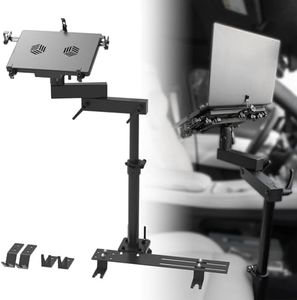
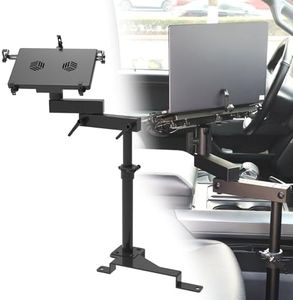
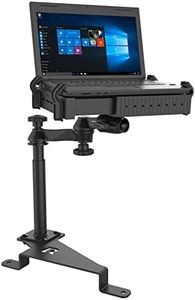
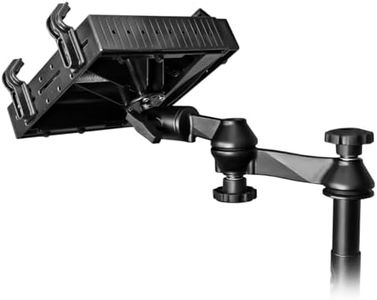
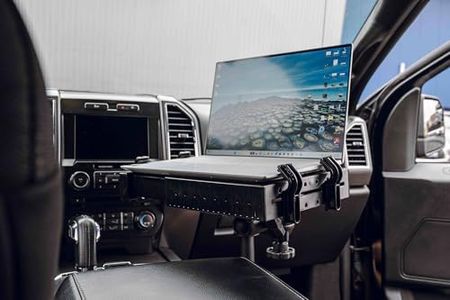
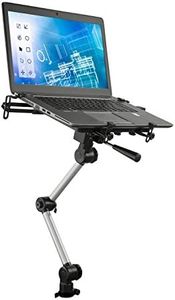
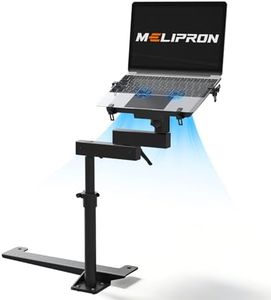
MELIPRON Van Laptop Mount Fit for Ford Transit 2014-2023 150 250 350 Cargo Van Laptop Holder Stand
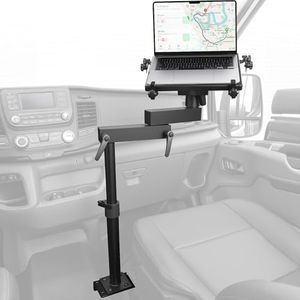
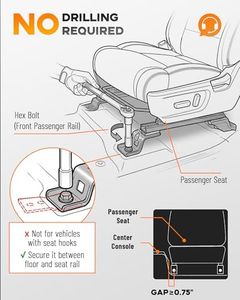
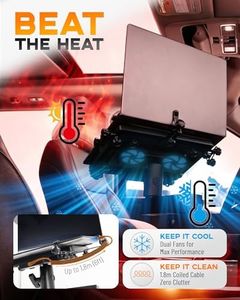
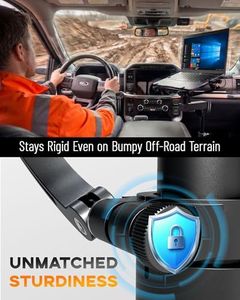
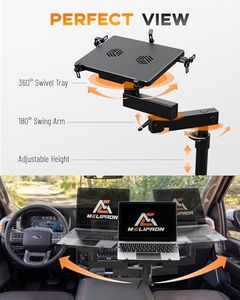
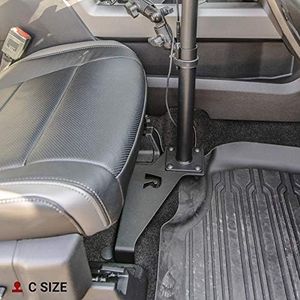
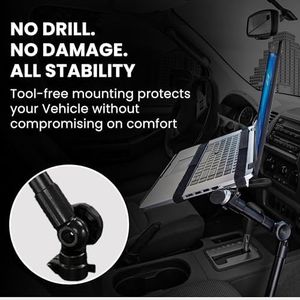
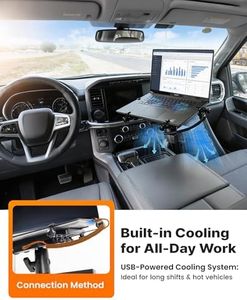
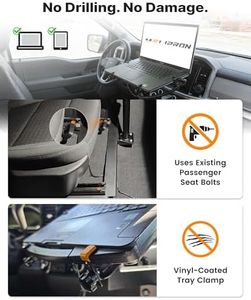
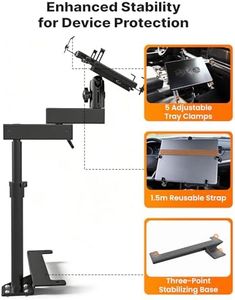
The MELIPRON Van Laptop Mount is designed specifically for Ford Transit models (150, 250, 350) from 2014 to 2023, making it a great choice if you have one of these vehicles. It attaches directly to the passenger seat bolts, so no drilling is required, which simplifies installation and helps keep your van’s interior intact. The mount is solidly built with aluminum and steel and has an antioxidant coating, which means it’s sturdy and durable with little chance of wobbling while driving.

Rating
10.0
Chosen by1,459
Ease of Installation
Security Features
Mounting Type

Most important from
211 reviews

Ease of Installation
Installation can be challenging and may require specialized tools, but detailed instructions and online resources help make the process manageable.
Security Features
The mount provides excellent stability with no rattling, securely holding both laptops and tablets even on rough terrain.
Mounting Type
The design limits how far forward the passenger seat can move once installed, but the mounting components can be removed to free up legroom when needed.
Material and Build Quality
Some plastic edge protectors may detach during tightening but this does not affect the mount’s overall function or durability.
Adjustability
Height adjustment mechanisms can sometimes be fragile; however, responsive customer service quickly provides replacement parts and actively works to improve design flaws.
Compatibility
Fits best in Ford Transit vans, but with some effort, it can be adapted to other vehicles, though size compatibility should be carefully checked.
#2
9.4 score

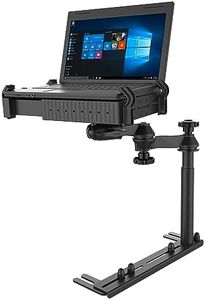
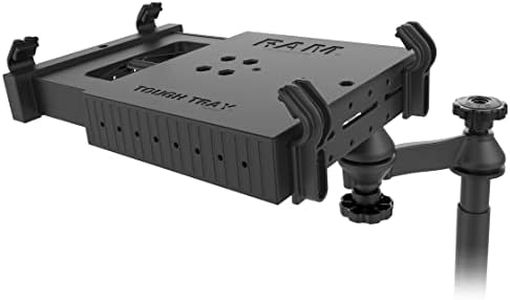
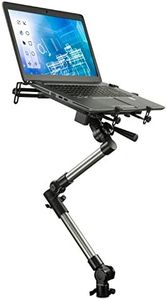
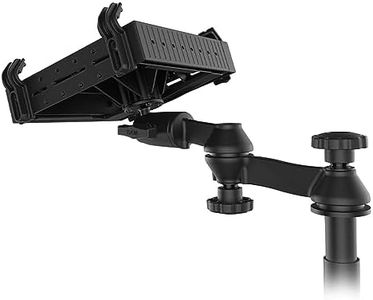
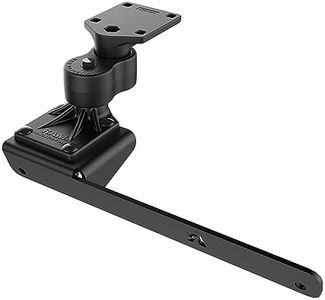
RAM MOUNTS No-Drill Laptop Mount for '19-25 Chevrolet Silverado, Tahoe + More RAM-VB-203-SW1 Compatible with 10" to 16" Wide Laptops

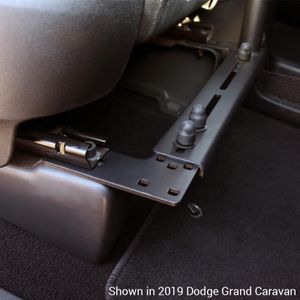
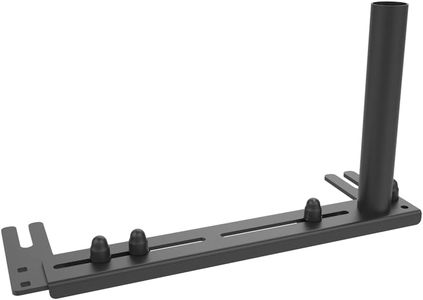
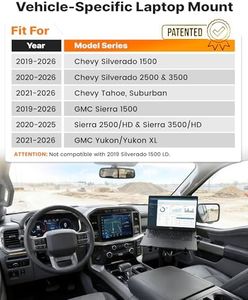
The RAM MOUNTS No-Drill Laptop Mount is specifically designed for a range of Chevrolet and GMC vehicles, including the Chevrolet Silverado and Tahoe, as well as GMC Sierra models from 2019 to 2025. One of the major strengths of this product is its no-drill installation, which uses existing seat bolts on the passenger side, making it easy to install without damaging your vehicle.

Rating
9.4
Mounting Type
Adjustability
Material and Build Quality

Most important from
86 reviews

Mounting Type
The RAM MOUNTS No-Drill Laptop Mount fit perfectly in my 22 Silverado 1500 and does exactly what I needed it to do.
Adjustability
It holds my laptop nice and secure and allows easy adjustments by simply tightening or loosening the knobs.
Material and Build Quality
RAM is known for quality products, and this mount lives up to that reputation.
Ease of Installation
Despite some issues with the installation instructions, the mount is a good piece of equipment. I'll likely outfit all of my team's trucks with them.
#3
9.4 score

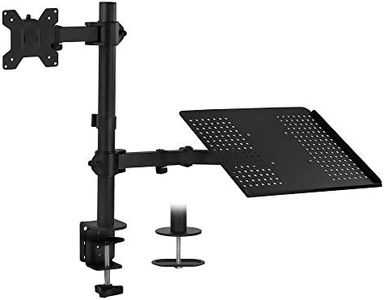
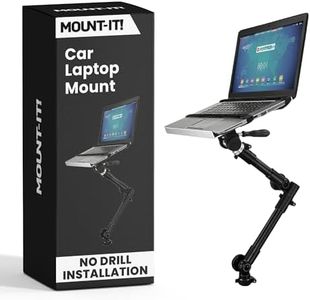
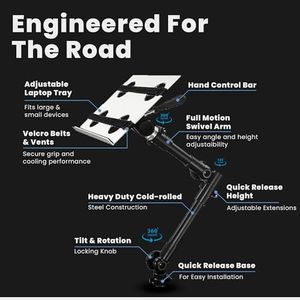
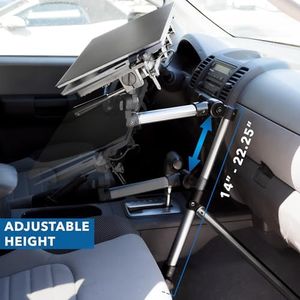
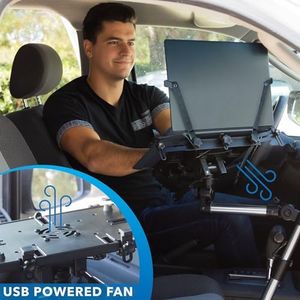
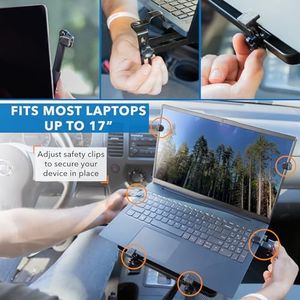
Mount-It! Universal Vehicle Laptop Mount for Cars, Trucks & Vans – No-Drill Installation, Adjustable Height, Full Motion Swivel, and Cooling Tray for Laptops Up to 17"

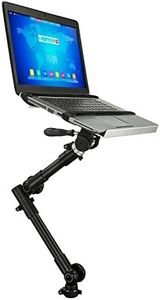
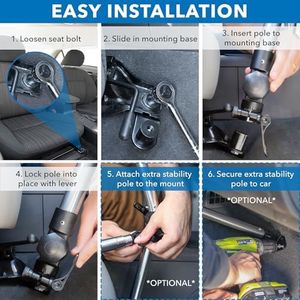
The Mount-It! Universal Vehicle Laptop Mount is designed to offer a secure and convenient way to use your laptop on the go in cars, trucks, vans, and SUVs. One of its standout features is the no-drill installation, which makes it easy to set up without the need for any complex tools or modifications to your vehicle. This mount attaches to exposed seat bolts, ensuring stability and compatibility with a range of vehicles.

Rating
9.4
Ease of Installation
Compatibility
Material and Build Quality

Most important from
85 reviews

Ease of Installation
Installation is straightforward and simple, making it easy to set up without much hassle.
Compatibility
The mount is very versatile and can be used in both sedans and full-size pickups with ease.
Material and Build Quality
Excellent design and sturdy build ensure that the laptop remains stable even on bumpy roads.

Top 10 Best Laptop Mounts For Cars 2026 in the United States

#1

Winner

10.0  score

MELIPRON Van Laptop Mount Fit for Ford Transit 2014-2023 150 250 350 Cargo Van Laptop Holder Stand
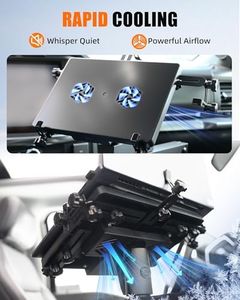
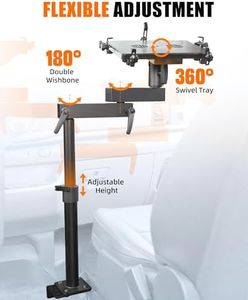
Mounting Type: Seat Mount
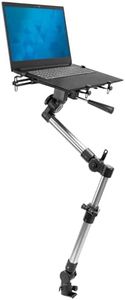
Adjustability: Adjust height, rotate tray
Compatibility: Ford Transit 2014-2023; laptops, iPads
Material and Build Quality: Aluminum, steel, antioxidant coating
Ease of Installation: Attaches to seat bolts, no drilling
Security Features: Quick disconnect feature

Chosen by 1459 this week

RAM MOUNTS No-Drill Laptop Mount for '19-25 Chevrolet Silverado, Tahoe + More RAM-VB-203-SW1 Compatible with 10" to 16" Wide Laptops

Mounting Type: No-Drill
Adjustability: Dual swing arms
Compatibility: Chevrolet Silverado, Tahoe, GMC Sierra
Material and Build Quality: Powder-coated steel, marine aluminum
Ease of Installation: Uses seat bolts

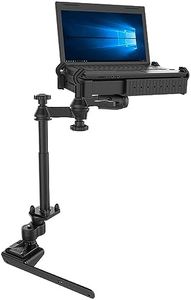
SPIRRELAB Car Laptop Mount for Vehicle, Trucks, Vans, Adjustable Aluminum No-Drill Laptop Car Holder

Mounting Type: Seat-bolt Mount
Adjustability: 360° rotation, height 11.9-20", two 180° arms
Compatibility: Devices 9-17" screen sizes
Material and Build Quality: Steel base, aluminum body, plastic tray
Ease of Installation: Quick-release, removing bolts
Security Features: Multiple tray clamps, velcro

RAM Mounts No-Drill Laptop Mount for '14-23 Ford Transit Full Size Van RAM-VB-194-SW1

Mounting Type: No-Drill Seat Rail
Adjustability: Dual articulating arm
Compatibility: 10-16 inch laptops, up to 17-inch
Material and Build Quality: Powder-coated steel, marine-grade aluminum
Ease of Installation: No-drill installation

RAM Mounts RAM-VB-185-SW1 No-Drill Laptop Mount for '97-16 Ford F-250 - F750 + More Compatible with 10" to 16" Wide Laptops

Mounting Type: No-Drill
Adjustability: Telescoping pole, dual swing arm
Compatibility: Most 10-16" laptops, up to 17"
Material and Build Quality: Powder-coated steel, high-strength composite
Ease of Installation: Straightforward, no-drill design

RAM Mounts No-Drill Laptop Mount for '15-24 Chevrolet Colorado + More RAM-VB-193-SW1

Mounting Type: No-Drill
Adjustability: Telescoping pole, dual swing arm
Compatibility: 16" - 16" laptops, up to 17" screens
Material and Build Quality: Powder-coated steel, high-strength composite
Ease of Installation: Easy installation, no permanent alterations
Security Features: Shock and vibration isolation

RAM MOUNTS No-Drill Laptop Mount for '19-24 Dodge Ram 1500 Pickup Trucks RAM-VB-186ST1-SW1

Mounting Type: No-Drill
Adjustability: Telescoping pole, dual swing arm
Compatibility: 10-16" laptops, up to 17" screen
Material and Build Quality: Powder-coated steel, high-strength composite
Ease of Installation: Straightforward setup, hardware included
Security Features: Heavy-duty construction, stability
How do we rank products for you?

Our technology thoroughly searches through the online shopping world, reviewing hundreds of sites. We then process and analyze this information, updating in real-time to bring you the latest top-rated products. This way, you always get the best and most current options available.

headphones-stars

Buying Guide for the Best Laptop Mounts For Cars

Choosing the right laptop mount for your car can significantly enhance your productivity and convenience while on the road. A good laptop mount should securely hold your device, be easy to install, and offer flexibility in positioning. Here are some key specifications to consider when selecting a laptop mount for your car.
Mounting TypeMounting type refers to how the laptop mount is attached to your car. Common types include seat bolt mounts, floor mounts, and dashboard mounts. Seat bolt mounts attach to the bolts of the passenger seat, floor mounts are installed on the car floor, and dashboard mounts are fixed to the dashboard. The choice depends on your preference for stability and ease of access. If you need a stable and permanent solution, a seat bolt or floor mount might be ideal. For a more temporary setup, a dashboard mount could be more suitable.
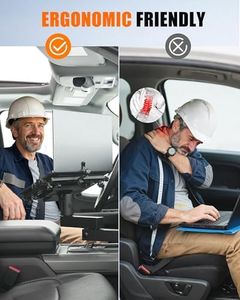
AdjustabilityAdjustability is crucial for ensuring that you can position your laptop at the most comfortable and ergonomic angle. Look for mounts that offer multiple points of articulation, such as swivel, tilt, and height adjustment. This allows you to customize the position of your laptop to reduce strain on your neck and eyes. If you plan to use your laptop frequently while driving, a highly adjustable mount will be beneficial.
CompatibilityCompatibility refers to whether the mount can accommodate the size and weight of your laptop. Check the specifications to ensure the mount can support your laptop's dimensions and weight. Some mounts are designed for specific laptop sizes, while others are more universal. If you have a larger or heavier laptop, make sure the mount is rated to handle it to avoid any damage or instability.
Material and Build QualityThe material and build quality of the mount determine its durability and stability. Common materials include metal, plastic, and composite materials. Metal mounts tend to be more durable and stable, while plastic mounts may be lighter and easier to install. Consider the environment in which you'll be using the mount; if you need something robust for frequent use, opt for a high-quality metal mount.
Ease of InstallationEase of installation is important for convenience and practicality. Some mounts require tools and a more complex installation process, while others can be installed quickly without any tools. If you're not comfortable with DIY installations, look for mounts that offer straightforward, tool-free installation. This will save you time and effort, especially if you need to move the mount between different vehicles.
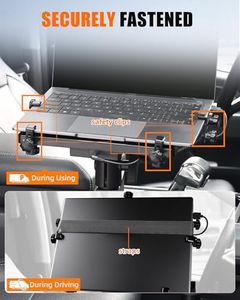
Security FeaturesSecurity features ensure that your laptop remains securely in place while driving. Look for mounts with locking mechanisms or straps that hold the laptop firmly. This is particularly important if you drive on rough roads or need to make sudden stops. A secure mount will prevent your laptop from falling or getting damaged, providing peace of mind while you focus on driving.

FAQ