We Use CookiesWe use cookies to enhance the security, performance, functionality and for analytical and promotional activities. By continuing to browse this site you are agreeing to our privacy policy

10 Best Keyboards For Mac 2026 in the United States

#1

Winner

10.0 score

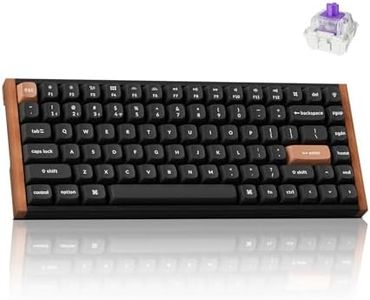
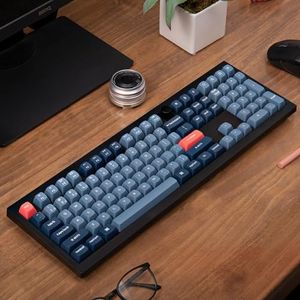
Keychron K10 HE Hall Effect Keyboard Wireless, Magnetic Switch Hot Swappable, Adjustable Actuation Rapid Trigger Mode with Aluminum + Wood Frame, Full-Size Custom RGB for Mac Windows Linux - Black

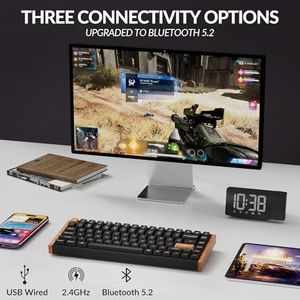
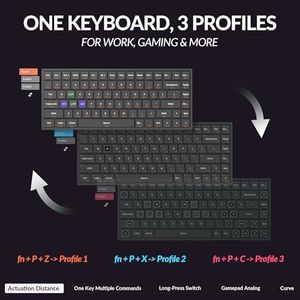
The Keychron K10 HE is a full-size mechanical keyboard designed with Mac users in mind but also easily compatible with Windows and Linux. It offers excellent flexibility through its tri-mode connectivity: Bluetooth 5.2 for wireless use, 2.4 GHz wireless for low-latency needs like gaming, and a wired Type-C option for stable connections. The keyboard features Hall Effect magnetic switches, which are highly durable and can be adjusted for sensitivity, providing a satisfying typing experience that reduces wear over time. These switches are hot-swappable, meaning you can easily replace or customize keys without technical hassle.

Rating
10.0
Chosen by1,107
Compatibility
Connectivity
Key Switch Type

Most important from
415 reviews

Compatibility
Mac and Windows compatibility is seamless, supporting smooth switching between operating systems without hassle.
Connectivity
Versatile connectivity options include reliable Bluetooth, low-latency 2.4 GHz wireless, and wired USB-C, accommodating various user preferences.
Key Switch Type
The keyboard delivers a wonderfully smooth and quiet typing experience with linear magnetic switches that offer customizable actuation points for unique functionality.
Ergonomics
Elegant wood edges add a premium, attractive touch without compromising comfort or durability, enhancing the overall aesthetic.
Backlighting
Customizable RGB lighting is easy to adjust either directly on the keyboard or through the Keychron Launcher software, providing excellent personalization.
Build Quality
The keyboard’s solid build combines a sturdy yet slim profile that fits well on most desks and is portable enough to move around with ease.
#2
8.5 score

Razer Huntsman V3 Pro Mini 60% Esports Gaming Keyboard: Analog Optical Switches - Razer Snap Tap - Rapid Trigger - Adjustable Actuation - Dual-Purpose Mod Keys - Doubleshot PBT Keycaps - Black
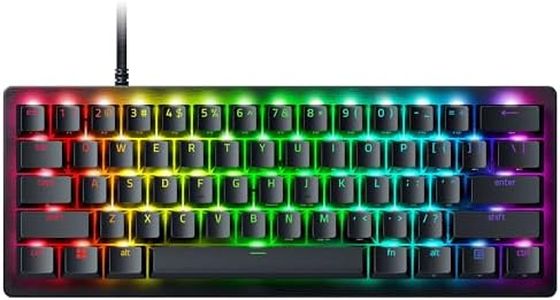
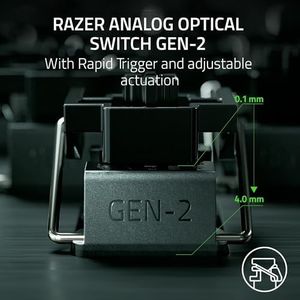
The Razer Huntsman V3 Pro Mini is a high-performance 60% gaming keyboard designed primarily for PC users, featuring advanced analog optical switches that offer very fast and precise key responses. Its adjustable actuation and Rapid Trigger technology benefit gamers, especially in fast-paced FPS games, by allowing lightning-quick inputs and better control. The keyboard uses USB-C for connectivity and is built with durable doubleshot PBT keycaps, known for lasting feel and resistance to wear. It also features full RGB backlighting, adding a customizable and visually appealing element.

Rating
8.5
Key Switch Type
Layout
Ergonomics

Most important from
964 reviews

Key Switch Type
The analog optical switches deliver incredibly snappy and precise key responses, enhancing movement control especially in competitive gaming.
Layout
Its compact form factor significantly frees up desk space without sacrificing essential keys or stability during fast-paced sessions.
Ergonomics
The keyboard excels both for gaming and typing, providing a satisfying experience across different use cases.
Build Quality
The doubleshot PBT keycaps offer a durable, textured feel that resists slipperiness even during intense use.
#3
8.5 score

Corsair K100 AIR Wireless RGB Mechanical Gaming Keyboard - Ultra-Thin, Sub-1ms Slipstream, Low-Latency Bluetooth, Cherry MX Ultra Low Profile Keyswitches - NA Layout, QWERTY - Black

The Corsair K100 AIR Wireless is a sleek, ultra-thin mechanical keyboard that stands out with its modern design and strong build quality, thanks to the brushed aluminum frame. It’s compatible with Mac, offering multiple connection options including ultra-fast Slipstream wireless, low-latency Bluetooth, and wired USB, which makes switching between multiple devices effortless and convenient. The keyboard uses Cherry MX Ultra Low Profile mechanical switches that provide a crisp, tactile feel with a very short key travel—great for both typing and gaming. The layout is a standard North American QWERTY, which should suit most Mac users, though it doesn’t have a dedicated Mac-specific key set, so some shortcuts might take getting used to. Ergonomically, its slim profile and media keys, including a volume roller, add comfort and functionality for everyday use.

Rating
8.5
Key Switch Type
Build Quality
Connectivity

Most important from
4606 reviews

Key Switch Type
The keyboard offers an exceptionally smooth and light-touch typing experience with Cherry MX Speed switches, making it a delight for gaming, coding, and everyday use.
Build Quality
Its ultra-thin design and brushed aluminum frame deliver a premium, solid build that feels expensive and durable.
Connectivity
Multiple wireless connection options including ultra-fast Slipstream and Bluetooth make switching between devices effortless and reliable, with flawless 2.4GHz performance even in complex setups.
Backlighting
Fully programmable RGB lighting and six dedicated macro keys provide extensive customization, enhancing both aesthetics and functionality.
Ergonomics
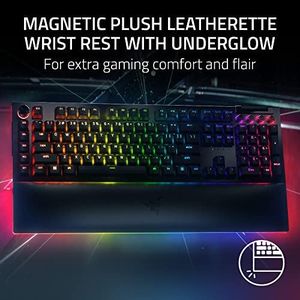
The magnetic wrist rest adds ergonomic comfort and convenience, improving long-term typing comfort.

Top 10 Best Keyboards For Mac 2026 in the United States
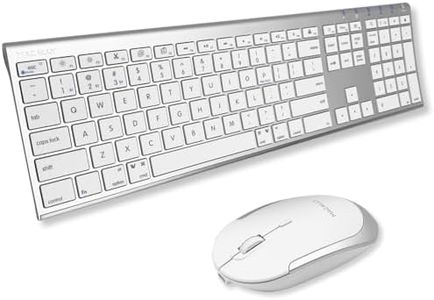
Corsair K100 AIR Wireless RGB Mechanical Gaming Keyboard - Ultra-Thin, Sub-1ms Slipstream, Low-Latency Bluetooth, Cherry MX Ultra Low Profile Keyswitches - NA Layout, QWERTY - Black

Compatibility: Mac
Connectivity: Slipstream wireless, Bluetooth, USB
Key Switch Type: Cherry MX Ultra Low Profile
Layout: Standard North American QWERTY
Ergonomics: Slim profile, media keys, roller
Backlighting: Per-key RGB, auto brightness
Build Quality: Brushed aluminum frame

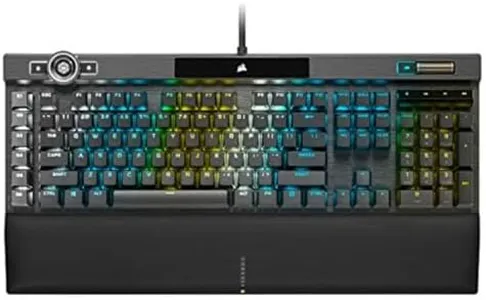
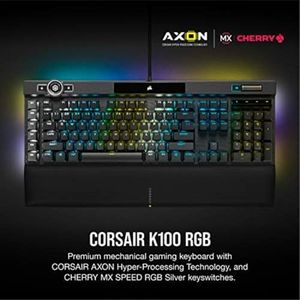
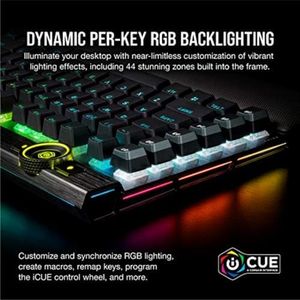
Corsair K100 RGB Optical-Mechanical Wired Gaming Keyboard - QWERTY US Layout, OPX Switches - PBT Double-Shot Keycaps - Elgato Stream Deck and iCUE Compatible - Black

Compatibility: Gaming Console, PC, Mac OS X 10.15+, Windows 10
Connectivity: Wired, braided USB cable
Key Switch Type: OPX optical-mechanical switches
Layout: Standard QWERTY, North American format
Ergonomics: Comfortable typing, no adjustable tilt
Backlighting: Per-key RGB, customizable via iCUE
Build Quality: Aluminum frame, PBT double-shot keycaps

Razer BlackWidow V4 X Mechanical Gaming Keyboard: Yellow Switches Linear & Silent - 6 Macro Keys - Chroma RGB - Doubleshot ABS Keycaps - Roller & Media Keys - Snap Tap

Compatibility: Mac, Windows (some remapping needed)
Connectivity: USB wired
Key Switch Type: Yellow Linear switches
Layout: Full-sized with media controls, roller
Ergonomics: Less ergonomic than some Mac keyboards
Backlighting: Chroma RGB lighting
Build Quality: Doubleshot ABS keycaps, durable labels

Keychron V6 Max Wireless Custom Mechanical Keyboard, 2.4 GHz Bluetooth QMK Full-Size Layout RGB with Hot-swappable Gateron Banana Switch Compatible with Mac Windows Linux
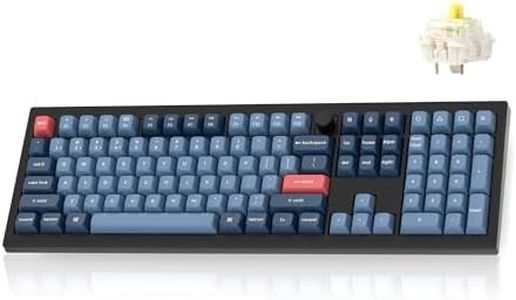
Compatibility: Mac, Windows, Linux
Connectivity: 2.4 GHz Wireless, Bluetooth 5.1, USB-C
Key Switch Type: Hot-swappable Gateron Banana switches
Layout: Full 108-key
Ergonomics: Comfortable typing, no wrist rest
Backlighting: RGB with south-facing LEDs
Build Quality: Gasket-mounted, double-shot PBT keycaps
How do we rank products for you?

Our technology thoroughly searches through the online shopping world, reviewing hundreds of sites. We then process and analyze this information, updating in real-time to bring you the latest top-rated products. This way, you always get the best and most current options available.

headphones-stars

Buying Guide for the Best Keyboards For Mac

Choosing the right keyboard for your Mac can significantly enhance your productivity and comfort. Whether you're a writer, gamer, or just someone who spends a lot of time on their computer, the right keyboard can make a big difference. Here are some key specifications to consider when selecting a keyboard for your Mac.
CompatibilityCompatibility refers to whether the keyboard is designed to work seamlessly with your Mac. This is important because some keyboards may not support Mac-specific functions like Command and Option keys. Look for keyboards that explicitly state they are compatible with Mac. If you use specific software or need certain shortcuts, ensure the keyboard supports these features.
ConnectivityConnectivity options include wired, wireless, and Bluetooth. Wired keyboards offer a stable connection and don't require charging, but they limit mobility. Wireless keyboards provide more freedom but need batteries or charging. Bluetooth keyboards are convenient for connecting multiple devices but may have slight latency. Choose based on your preference for mobility and convenience.
Key Switch TypeKey switch type affects the feel and sound of the keyboard. Common types include membrane, scissor-switch, and mechanical. Membrane switches are quiet and affordable but may feel mushy. Scissor-switches are often found in laptop keyboards and offer a balance of comfort and quietness. Mechanical switches provide tactile feedback and durability but can be noisy. Consider what feels comfortable for your typing style and environment.
LayoutKeyboard layout includes the arrangement of keys and the presence of additional keys like a numeric keypad. Standard layouts are compact and portable, while extended layouts include extra keys for functions like calculations. If you frequently use numbers or specific functions, an extended layout might be beneficial. Otherwise, a standard layout is sufficient for general use.
ErgonomicsErgonomics refers to the design of the keyboard to reduce strain and improve comfort. Features like wrist rests, adjustable angles, and split designs can help prevent discomfort during long typing sessions. If you spend a lot of time typing, look for ergonomic features that support your hands and wrists.
BacklightingBacklighting is the illumination of keys, which can be useful in low-light environments. Some keyboards offer adjustable brightness and color options. If you often work in dim conditions or enjoy customizing your setup, backlighting can be a helpful feature. Otherwise, it may not be necessary for well-lit environments.
Build QualityBuild quality refers to the materials and construction of the keyboard. High-quality materials like aluminum or reinforced plastic can enhance durability and feel. If you need a keyboard that will last and withstand heavy use, look for one with robust build quality. For occasional use, a standard build may suffice.

FAQ