We Use CookiesWe use cookies to enhance the security, performance, functionality and for analytical and promotional activities. By continuing to browse this site you are agreeing to our privacy policy

10 Best USB-C Dual Display Docking Stations 2026 in the United States
#1

Winner

10.0 score

Plugable Thunderbolt 4 Dock with 100W Charging, Thunderbolt Certified, Laptop Docking Station Dual Monitor Single 8K or Dual 4K HDMI for Windows and Mac, 4X USB, Gigabit Ethernet (TBT4-UD5)

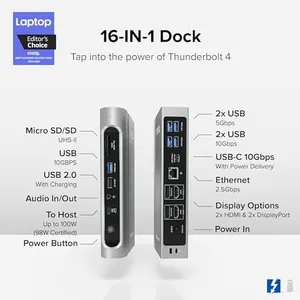
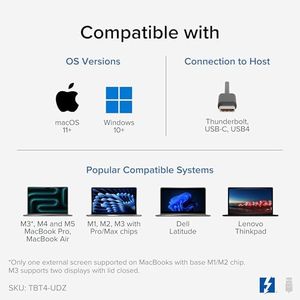
The Plugable Thunderbolt 4 Dock is a strong choice if you need a reliable docking station that supports dual 4K HDMI monitors at 60Hz or a single 8K display, perfect for users with high-resolution display needs. It's officially Thunderbolt certified and Intel Evo approved, ensuring fast 40Gbps data transfer and up to 100W power delivery, which can efficiently charge most laptops. Compatibility covers many Windows and Mac laptops with Thunderbolt 4 or USB4 ports, though dual displays on Mac require newer M-series chips or clamshell mode on base M3 models.

Rating
10.0
Chosen by1,440
Display Resolution and Refresh Rate
Ease of Use and Setup
Number of Display Outputs

Most important from
459 reviews

Display Resolution and Refresh Rate
Delivers stable, high-bandwidth performance with dual 4K monitors and handles demanding workloads without lag or compression.
Ease of Use and Setup
External displays wake instantly without delay, improving overall workflow and convenience.
Number of Display Outputs
Supports future-proof video outputs with dual 4K or single 8K monitor compatibility.
Port Selection
Built-in 1 Gbps Ethernet port provides a fast and stable internet connection.
Power Delivery
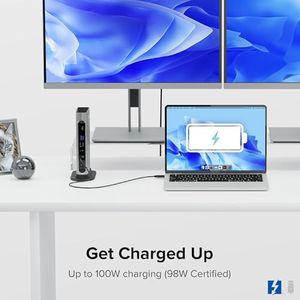
Strong power delivery charges laptops efficiently, maintaining near 100% battery even under heavy load.
Build Quality and Design
Low-profile, connector-packed design fits well on a desk and supports multiple devices simultaneously.
#2
9.4 score

Anker Laptop Docking Station Dual Monitor, 8-in-1 USB C Hub, 4K Dual Monitor with 2 HDMI, 1 Gbps Ethernet Hub, 85W Power Delivery, SD Card Reader, for XPS and More (Charger not Included)
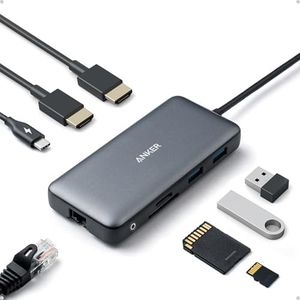
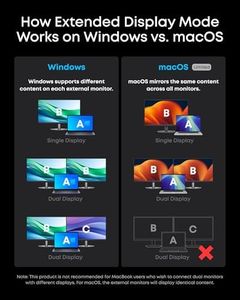
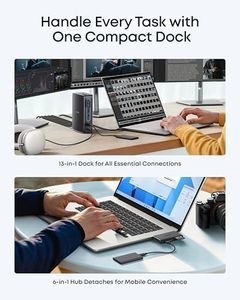
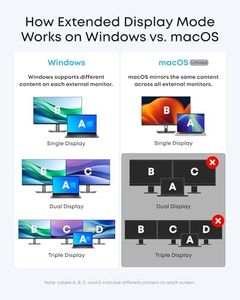
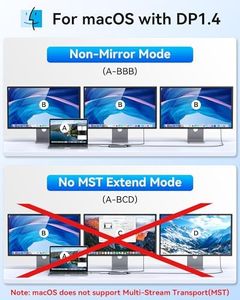
The Anker Laptop Docking Station is a versatile 8-in-1 USB-C hub designed for users needing multiple display outputs and robust connectivity options. With compatibility spanning MacBooks, Windows laptops, and Chromebooks, this docking station suits a wide range of users. It offers dual HDMI ports for connecting up to two 4K displays at 30Hz, ideal for extended screen real estate for productivity tasks. However, macOS users will see identical content on both external monitors, which may limit its utility for some.

Rating
9.4
Compatibility
Number of Display Outputs
Power Delivery

Most important from
6400 reviews

Compatibility
Works perfectly for connecting monitors to a new work laptop, even in a pinch.
Number of Display Outputs
Connecting dual monitors with this hub boosts productivity significantly.
Power Delivery
Does not come with a USB cable to connect to a power source, and it does not charge the laptop directly.
Port Selection
The range of ports is excellent, handling everything from HDMI to USB-A and USB-C.
Build Quality and Design
It’s compact and lightweight, making it perfect for travel.
Ease of Use and Setup
Setup is quick and seamless, ensuring reliability no matter where it's used.
#3
9.1 score

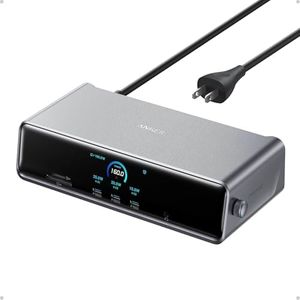
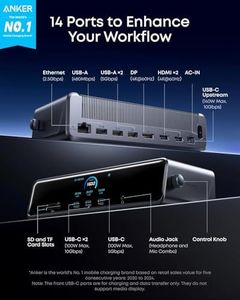
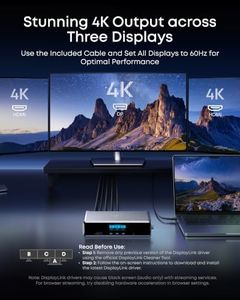
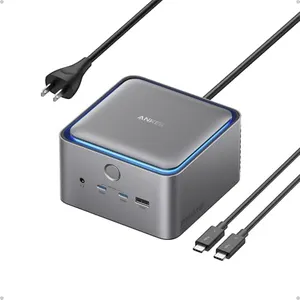
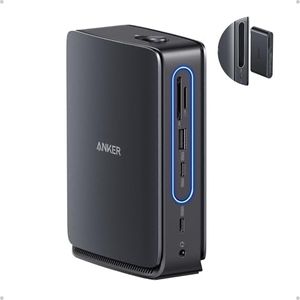
Anker Prime Docking Station (DL7400), 14-Port Triple Display with DisplayLink, 140W Max, Smart Display, Triple 4K 60Hz, Cooling Fan, for macOS and Windows (The Latest DisplayLink Driver Required)

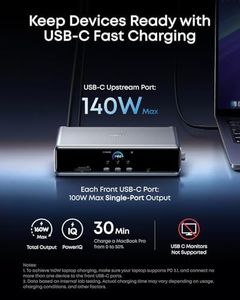
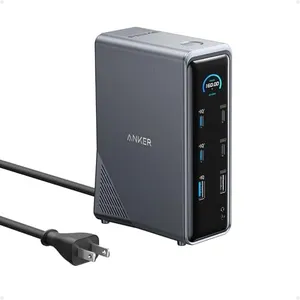
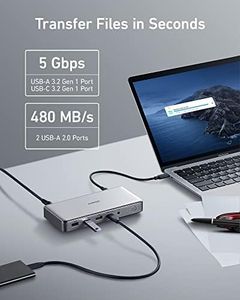
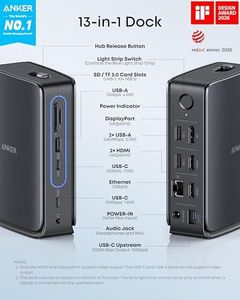
The Anker Prime Docking Station (DL7400) is a versatile hub designed for users needing to connect multiple displays and peripherals through USB-C. It supports up to three external monitors, including one with ultra-high 8K resolution, making it great for multitasking and detailed work on both Mac and Windows laptops. The docking station includes 14 ports, such as USB-C (with high-speed data and charging up to 140W), HDMI, DisplayPort, Ethernet, audio jack, and card readers, covering nearly all types of connections you might need at a desk. Its built-in cooling fan and smart display help monitor performance and keep the unit stable during heavy use.

Rating
9.1
Power Delivery
Build Quality and Design
Ease of Use and Setup

Most important from
350 reviews

Power Delivery
The dock powers multiple devices simultaneously, charging a MacBook, iPhone, and Surface Pro 11 with extra capacity for a fourth device.
Build Quality and Design
Its stylish design enhances desk aesthetics and offers customizable clock screensavers with an easy way to manually turn off the display.
Ease of Use and Setup
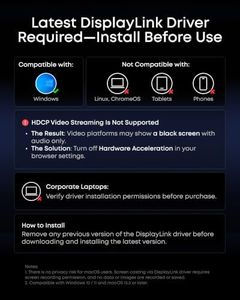
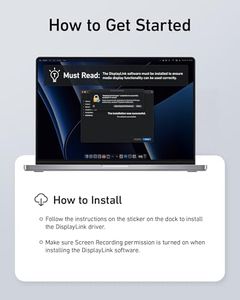
Setup requires installing the DisplayLink driver to enable full video output functionality, which is essential for triple monitor use.
Port Selection
Front USB-C ports simplify charging and data transfer, making it easy to connect devices without rearranging cables.
Compatibility
It works seamlessly across different platforms, including Mac Mini, MacBook, Surface Pro, and gaming desktops without noticeable input lag.

Top 10 Best USB-C Dual Display Docking Stations 2026 in the United States

#1

Winner

10.0  score

Plugable Thunderbolt 4 Dock with 100W Charging, Thunderbolt Certified, Laptop Docking Station Dual Monitor Single 8K or Dual 4K HDMI for Windows and Mac, 4X USB, Gigabit Ethernet (TBT4-UD5)

Compatibility: Windows, Mac laptops with Thunderbolt 4/USB4
Number of Display Outputs: 2 HDMI
Display Resolution and Refresh Rate: Dual 4K 60Hz or single 8K
Power Delivery: Up to 100W
Port Selection: 13 ports: HDMI, Thunderbolt, USB, SD
Build Quality and Design: Slim, sturdy design
Ease of Use and Setup: Easy setup; single display on older ports

Chosen by 1440 this week

Anker Laptop Docking Station Dual Monitor, 8-in-1 USB C Hub, 4K Dual Monitor with 2 HDMI, 1 Gbps Ethernet Hub, 85W Power Delivery, SD Card Reader, for XPS and More (Charger not Included)
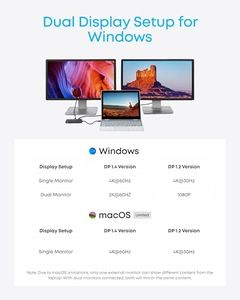
Compatibility: MacBooks, Windows laptops, Chromebooks
Number of Display Outputs: 2
Display Resolution and Refresh Rate: 4K at 30Hz
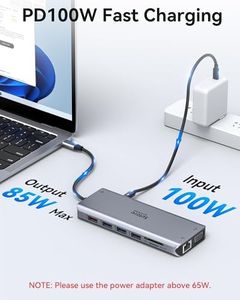
Power Delivery: 100W
Port Selection: USB, Ethernet, HDMI, USB 3.0, SD
Build Quality and Design: Solid, sleek gray design
Ease of Use and Setup: Plug-and-play setup

Anker Prime Docking Station (DL7400), 14-Port Triple Display with DisplayLink, 140W Max, Smart Display, Triple 4K 60Hz, Cooling Fan, for macOS and Windows (The Latest DisplayLink Driver Required)

Compatibility: MacBooks, USB C Windows laptops
Number of Display Outputs: 3
Display Resolution and Refresh Rate: up to 8K
Power Delivery: USB-C charging up to 140W
Port Selection: 14 ports: USB-C, HDMI, DP, Ethernet
Build Quality and Design: solid, compact, Phantom Gray color
Ease of Use and Setup: needs latest DisplayLink driver

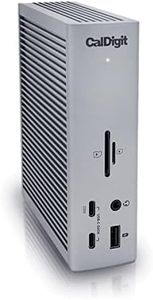
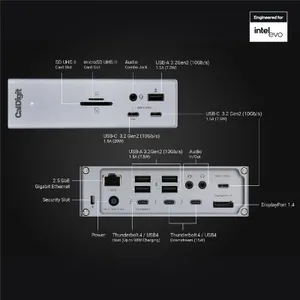
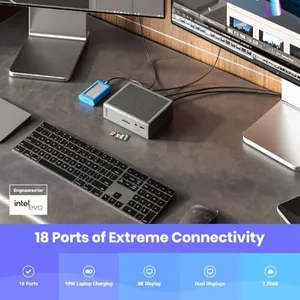
CalDigit TS4, 18-in-1 Thunderbolt 4 Docking Station, 98W Charging, 3* TBT4 (40Gb/s), 3* USB-C + 5* USB-A (10Gb/s), 2.5GbE LAN, 1*8K@30Hz or 2*6K@60Hz Displays, Mac/Windows/Chrome, 0.8m Certified Cable

Compatibility: Thunderbolt 4, 3, USB4, USB-C, Mac, Windows
Display Resolution and Refresh Rate: Single 8K, dual 6K 60Hz, dual 4K 60Hz
Power Delivery: 98W
Port Selection: 18 ports, Thunderbolt 4, USB, DisplayPort, SD, Ethernet
Build Quality and Design: Robust build, compact design
Ease of Use and Setup: Straightforward setup, firmware update required

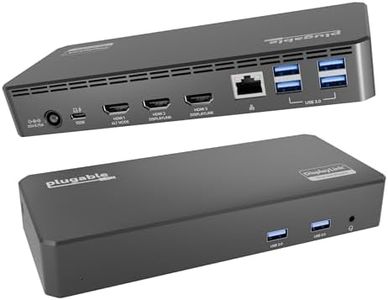
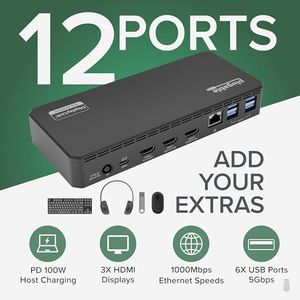
Plugable USB-C Triple Monitor Docking Station: 13-in-1 Laptop Dock with 100W Charging for Mac (DisplayLink Driver Required), Windows, Chrome, 3 HDMI, Gigabit Ethernet, SD, USB-C 20W, 4 USB - UD-ULTCDL

Compatibility: Windows 10/11, macOS 10.15+, ChromeOS 100+
Number of Display Outputs: 3
Display Resolution and Refresh Rate: 4K at 30Hz, 1920x1200 at 60Hz
Power Delivery: 100W
Port Selection: 3 HDMI, 4 USB 3.0, SD, Ethernet
Build Quality and Design: Sturdy, compact (4.7 x 2.6 x 6.9)
Ease of Use and Setup: Straightforward, macOS needs driver installation

Lenovo USB-C Dual Display Travel Dock w/ 100W Power Adapter - 7 Ports, Integrated USB-C Cable, Universal Compatibility, Dual Displays at 4K - Black

Compatibility: all USB-C laptops
Number of Display Outputs: 2 (1 HDMI, 1 DisplayPort)
Display Resolution and Refresh Rate: two 4K monitors
Power Delivery: up to 65W, 100W adapter, optional 135W
Port Selection: 7 ports: USB-A, USB-C, Ethernet
Build Quality and Design: compact, sleek, travel-friendly, recycled materials
Ease of Use and Setup: universal USB-C compatibility, easy setup

Lenovo USA ThinkPad Thunderbolt 3 Dock Gen 2 135W (40AN0135US) Dual UHD 4K Display Capability, 2 HDMI, 2 DP, USB-C, USB 3.1, Black

Compatibility: ThinkPad E490s, L480, P51s, P52s, T470
Number of Display Outputs: 4 outputs: 2 HDMI, 2 DisplayPort
Display Resolution and Refresh Rate: UHD 4K
Power Delivery: 135W adapter
Port Selection: USB-C, USB 3.1, Ethernet, audio jack
Build Quality and Design: Compact and sturdy
Ease of Use and Setup: Plug-and-play on Windows ThinkPad

Plugable USB C Laptop Docking Station, Dual Monitor 4K 60Hz for Apple Mac M1/M2/M3/M4/M5, 2X HDMI or DisplayPort for MacBook, 100W Charging DisplayLink Dock, Driver Install Required (UD-6950PDH)

Compatibility: macOS 11+, Windows 10+, USB-C, Thunderbolt
Number of Display Outputs: 2
Display Resolution and Refresh Rate: Dual 4K 60Hz
Power Delivery: 100W
Port Selection: 15 ports: HDMI, USB, SD, Ethernet
Build Quality and Design: Aluminum, space gray finish
Ease of Use and Setup: Needs DisplayLink software; not plug-play
How do we rank products for you?

Our technology thoroughly searches through the online shopping world, reviewing hundreds of sites. We then process and analyze this information, updating in real-time to bring you the latest top-rated products. This way, you always get the best and most current options available.

headphones-stars

Buying Guide for the Best USB-C Dual Display Docking Stations

When choosing a USB-C dual display docking station, it's important to consider your specific needs and how you plan to use the docking station. A docking station can greatly enhance your productivity by allowing you to connect multiple peripherals and displays to your laptop or computer through a single USB-C port. To make the best choice, you should understand the key specifications and how they align with your requirements.
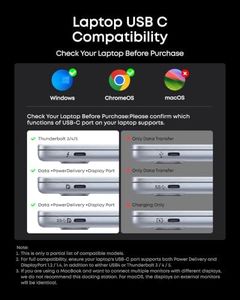
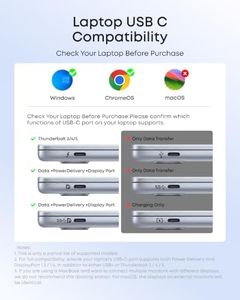
CompatibilityCompatibility refers to whether the docking station will work with your specific laptop or computer. This is important because not all docking stations are compatible with all devices. To navigate this, check the specifications of your laptop or computer to ensure it supports USB-C and the specific features you need, such as power delivery or video output. If you have a MacBook, Windows laptop, or another device, make sure the docking station explicitly states compatibility with your operating system and model.
Number of Display OutputsThe number of display outputs indicates how many monitors you can connect to the docking station. This is crucial for multitasking and productivity. Typically, docking stations offer support for two displays, but some may support more. If you need to connect two monitors, ensure the docking station supports dual display output. For users who need more than two monitors, look for docking stations that offer additional display outputs.
Display Resolution and Refresh RateDisplay resolution and refresh rate determine the quality and smoothness of the visuals on your monitors. Higher resolutions like 4K provide sharper images, while higher refresh rates (e.g., 60Hz or 120Hz) offer smoother motion. If you use your monitors for detailed work like graphic design or video editing, opt for a docking station that supports higher resolutions and refresh rates. For general office work, a standard 1080p resolution at 60Hz may suffice.
Power DeliveryPower delivery refers to the docking station's ability to charge your laptop or device through the USB-C connection. This is important for reducing cable clutter and ensuring your device stays charged while connected. Power delivery is measured in watts (W). For most laptops, a docking station with 60W to 100W power delivery is sufficient. Check your device's power requirements and choose a docking station that meets or exceeds this value.
Port SelectionPort selection refers to the variety and number of ports available on the docking station. This is important for connecting various peripherals like keyboards, mice, external drives, and more. Common ports include USB-A, USB-C, HDMI, DisplayPort, Ethernet, and audio jacks. Consider the peripherals you need to connect and ensure the docking station has enough of the right types of ports. For example, if you need to connect multiple USB devices, look for a docking station with several USB-A and USB-C ports.
Build Quality and DesignBuild quality and design refer to the physical construction and aesthetic of the docking station. This is important for durability and how well the docking station fits into your workspace. Look for docking stations made from high-quality materials like aluminum or sturdy plastic. Consider the size and design to ensure it fits well on your desk and complements your other devices. A well-built docking station will last longer and provide a better user experience.
Ease of Use and SetupEase of use and setup refer to how simple it is to get the docking station up and running. This is important for minimizing downtime and frustration. Look for docking stations that offer plug-and-play functionality, meaning they work right out of the box without needing additional drivers or software. User-friendly designs with clear instructions can make the setup process smoother. If you're not tech-savvy, prioritize docking stations known for their ease of use.

FAQ