We Use CookiesWe use cookies to enhance the security, performance, functionality and for analytical and promotional activities. By continuing to browse this site you are agreeing to our privacy policy

10 Best Digital Wall Calendars 2026 in the United States

#1

Winner

10.0 score

Skylight Calendar: 15-inch Wall Planner Digital Calendar & Chore Chart, Smart Touchscreen Interactive Display for Family Schedules – Wall Mount Included, Great for Organizing Your 2026 Calendar
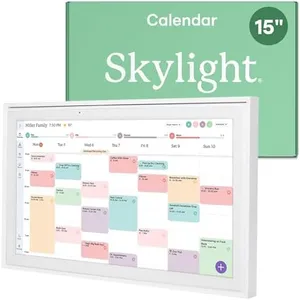
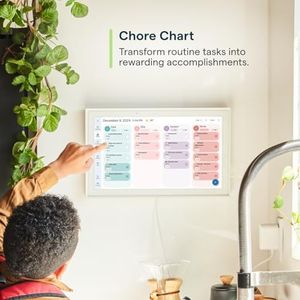
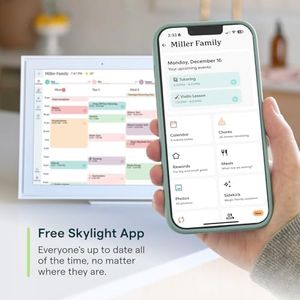
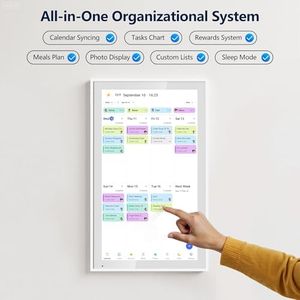
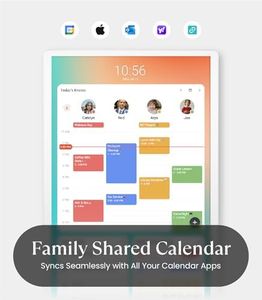
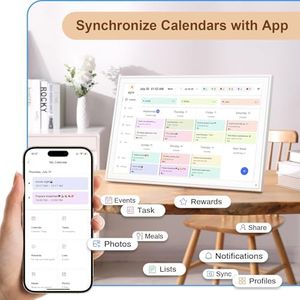
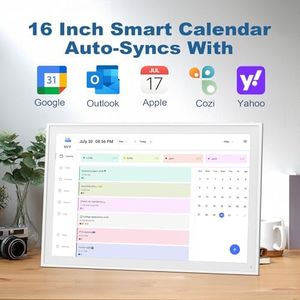
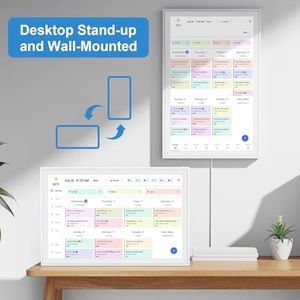
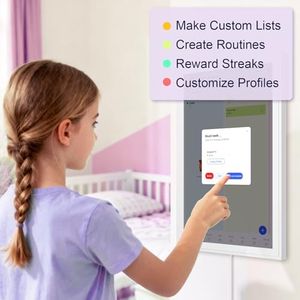
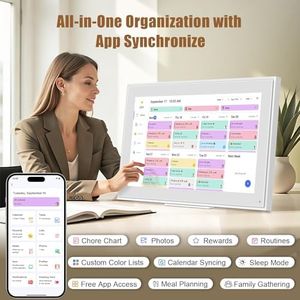
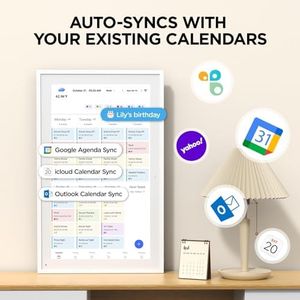
The Skylight Calendar is a 15-inch touchscreen digital wall planner designed specifically for busy families looking to keep their schedules organized in one place. Its HD display is large enough to clearly view events and chore charts, making it a practical central hub for family calendars. It supports syncing with popular calendar services like Google, iCloud, Outlook, Cozi, and Yahoo, allowing seamless integration of existing schedules. Setup is simple—just plug in, connect to Wi-Fi, and sync your calendars quickly. The device offers both wall mount and countertop stand options, so you can place it where it fits best in your home.

Rating
10.0
Chosen by1,396
Display Size
Screen Type and Resolution
Connectivity Options

Most important from
6203 reviews

Display Size
The 15-inch touchscreen strikes a perfect balance, fitting well on a countertop or mounted on the wall without feeling bulky.
Screen Type and Resolution
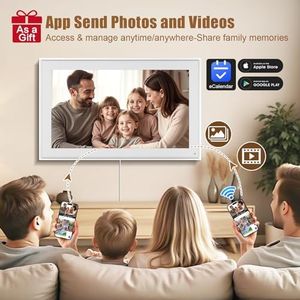
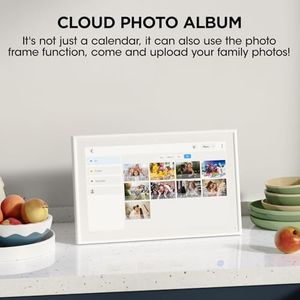
The HD photo display quality is impressive, doubling as a beautiful digital photo frame when not actively used for scheduling.
Connectivity Options
Setup is incredibly straightforward—just download the app and connect, making it easy for the whole family to start using immediately.
Calendar/App Compatibility
Most core features like event adding, chore charts, and grocery lists work well without a subscription, though advanced options require an additional fee.
User Interface and Controls
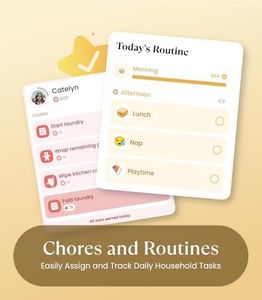
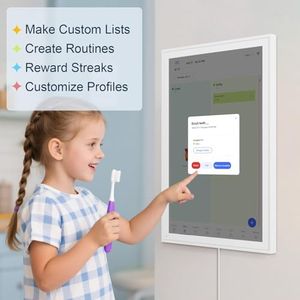
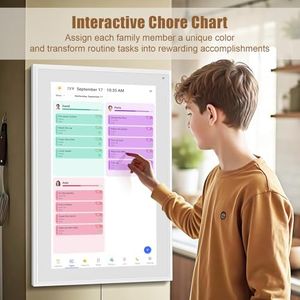
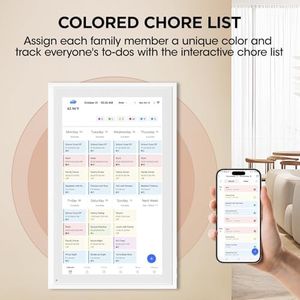
Color-coding events by person or activity makes it simple for kids as young as eight to understand and interact with the calendar.
Mounting and Power Options
The device’s packaging and included accessories, like the stand for countertop use and wall-mount option, demonstrate thoughtful design.
Extra Features
Investing in a screen protector is recommended to maintain the touchscreen’s condition over time.
#2
9.1 score

Skylight Calendar Max: 27-Inch Smart Digital Calendar & Chore Chart, Family Organizer with Interactive Touchscreen Display – Wall Mountable in Portrait or Landscape, Classic White Frame

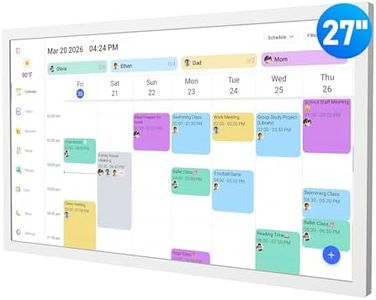
The Skylight Calendar Max is a large, 27-inch HD touchscreen digital calendar designed to keep family schedules organized in a central, easy-to-see spot. Its bright display supports both portrait and landscape mounting, letting you fit it nicely into your kitchen or entryway. Syncing is a strong point — it connects to Wi-Fi and automatically updates with Google, Apple, Outlook, Yahoo, and Cozi calendars, so you don’t have to manually enter events from different sources.

Rating
9.1
Display Size
Calendar/App Compatibility
User Interface and Controls

Most important from
624 reviews

Display Size
The 27-inch HD touchscreen offers a bright, clear display that looks beautiful on the wall without feeling bulky or intrusive.
Calendar/App Compatibility
Effortless syncing with multiple calendars like Google, Apple, and Outlook means no manual entry is needed, keeping every family member's schedule up to date.
User Interface and Controls
Setup is intuitive and quick, requiring less than 10 minutes, with a user-friendly interface that needs minimal instruction.
Mounting and Power Options
Its versatility in mounting orientation—portrait or landscape—fits well into various home spaces like kitchens and entryways.
Extra Features
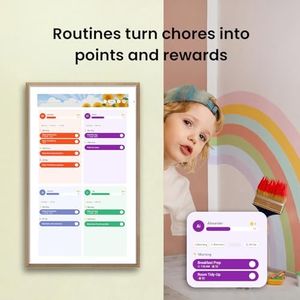
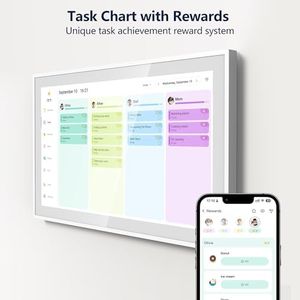
The chore chart and rewards system genuinely motivate kids to participate, turning family responsibilities into engaging activities.
#3
8.8 score

ApoloSign 21.5" Digital Calendar: Dual Mode Calendars with Google Play & Multi-calendar Sync, Electronic Planner & Chore Chart, Smart Touchscreen, Interactive Display for Family Schedules (Teak Wood, 21.5-inch)
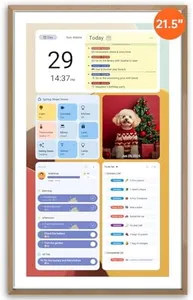
The ApoloSign 21.5" Digital Calendar stands out with its versatile dual-mode design, letting you switch between a focused calendar synced with Google, Outlook, and iCloud, and an Android dashboard that acts as a smart family hub. Its 21.5-inch HD touchscreen delivers clear visuals with an anti-glare matte finish and auto brightness adjustment, which helps reduce eye strain in bright rooms. The teak wood frame gives it a stylish, modern look that fits well on any wall.

Rating
8.8
Display Size
Calendar/App Compatibility
Extra Features

Most important from
987 reviews

Display Size
The large 21.5-inch touchscreen offers bright, clear visuals that make managing schedules and family activities effortless.
Calendar/App Compatibility
Seamless syncing with Google Calendar, iCloud, and Outlook ensures you never miss an event or appointment.
Extra Features
Customizable widgets for chores, grocery lists, and reminders transform family organization into a simple, interactive experience.
Connectivity Options
Setup is quick and user-friendly, with easy connection to multiple accounts and intuitive controls.
Mounting and Power Options
The ability to put the device in sleep mode at night helps reduce unnecessary power use and screen glare.
User Interface and Controls
While the widget layout is somewhat limited to a single screen, it still offers enough customization to meet most needs.

Top 10 Best Digital Wall Calendars 2026 in the United States
#1

Winner

10.0  score

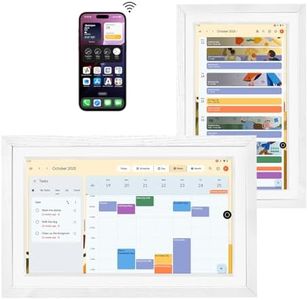
Skylight Calendar: 15-inch Wall Planner Digital Calendar & Chore Chart, Smart Touchscreen Interactive Display for Family Schedules – Wall Mount Included, Great for Organizing Your 2026 Calendar
Display Size: 15 inch
Screen Type and Resolution: HD touchscreen
Connectivity Options: Wi-Fi
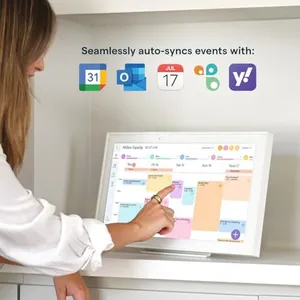
Calendar/App Compatibility: Google, iCloud, Outlook, Cozi, Yahoo
User Interface and Controls: Touchscreen interface
Mounting and Power Options: Wall mount, countertop stand, plug in
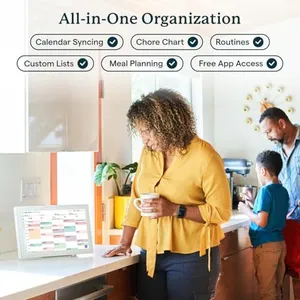
Extra Features: Chore chart, meal planning, photos, rewards

Chosen by 1396 this week

Skylight Calendar Max: 27-Inch Smart Digital Calendar & Chore Chart, Family Organizer with Interactive Touchscreen Display – Wall Mountable in Portrait or Landscape, Classic White Frame
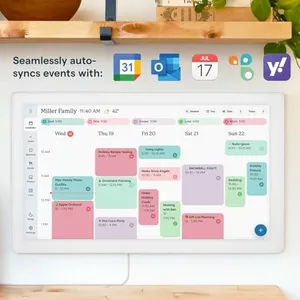
Display Size: 27-inch
Screen Type and Resolution: HD touchscreen
Connectivity Options: Wi-Fi
Calendar/App Compatibility: Google, Apple, Outlook, Yahoo, Cozi
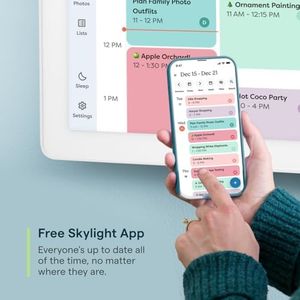
User Interface and Controls: Touchscreen, free Skylight app
Mounting and Power Options: Portrait, landscape mounting, swappable frames
Extra Features: Chore chart, planner, remote updates, premium

ApoloSign 21.5" Digital Calendar: Dual Mode Calendars with Google Play & Multi-calendar Sync, Electronic Planner & Chore Chart, Smart Touchscreen, Interactive Display for Family Schedules (Teak Wood, 21.5-inch)

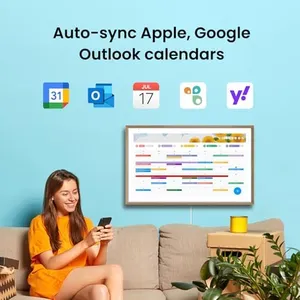
Display Size: 21.5-inch
Screen Type and Resolution: HD touchscreen, matte, auto brightness
Connectivity Options: Google, Outlook, iCloud sync; voice AI
Calendar/App Compatibility: Google, Outlook, iCloud; US app only
User Interface and Controls: 21.5-inch touchscreen; voice control; widgets
Mounting and Power Options: Wall mount; supports 14.6 pounds
Extra Features: Family hub; chore chart; no subscription

Digital Calendar – 27 Inch Electronic Wall Calendar & Chore Chart, Smart Family Organizer with Interactive Touchscreen Display, Wall Mount in Portrait or Landscape
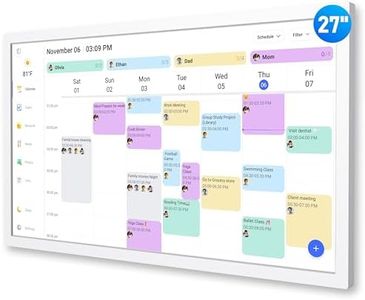
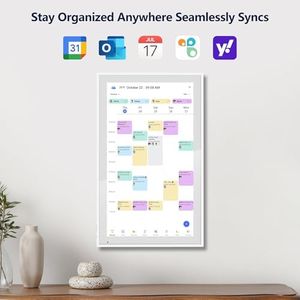
Display Size: 27 Inch
Screen Type and Resolution: HD touchscreen
Connectivity Options: Wi-Fi
Calendar/App Compatibility: Google, Outlook, iCloud, Cozi, Yahoo
User Interface and Controls: Touchscreen
Mounting and Power Options: Wall mount, desk stand, US plugs
Extra Features: Chore chart, meal planner, photos, weather

Cozyla Mate Calendar+ 2: 32" Digital Calendar Wall Touch Screen Chore Chart Customizable Dashboard Smart Electronic Display for Family Schedules Meal Plan All App Support Wall Mount Planner for 2026
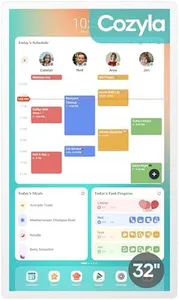
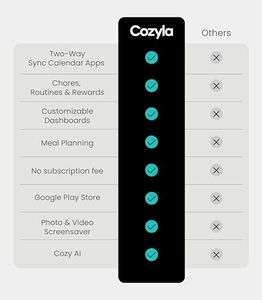
Display Size: 32 inch
Screen Type and Resolution: touchscreen, Full HD
Connectivity Options: syncs with Google, Apple, Outlook
Calendar/App Compatibility: Google, Apple, Outlook; Android apps
User Interface and Controls: touchscreen, customizable dashboard
Mounting and Power Options: wall mount; constant power needed
Extra Features: chore chart, meal planner, apps

Smart Digital Calendar: 21.5-Inch Electronic Wall Calendars & Chore Chart, Full HD Interactive Touchscreen Display for Family Schedules Planner,Seamless Scheduling/Organizing-Wall/Desk Mountable
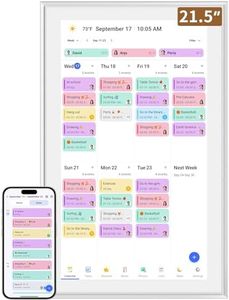
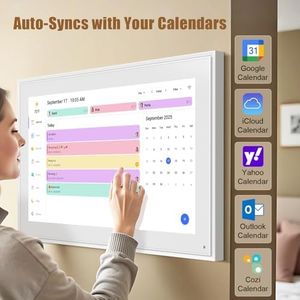
Display Size: 21.5-inch
Screen Type and Resolution: Full HD 1980x1080 touchscreen IPS
Connectivity Options: Built-in Wi-Fi
Calendar/App Compatibility: Google, iCloud, Outlook, Cozi, Yahoo
User Interface and Controls: Touchscreen with swipe and zoom
Mounting and Power Options: Wall or desk mount, landscape/portrait
Extra Features: Interactive chore chart and planner

21.5 Inch Smart Digital Calendar, Wall Electronic Calendar, 1920 * 1080 IPS Full HD Touch Screen Display for Family Meal Planner Support - Streamline Household Organization
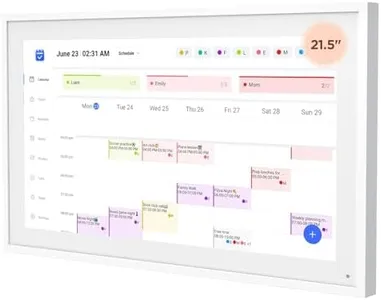
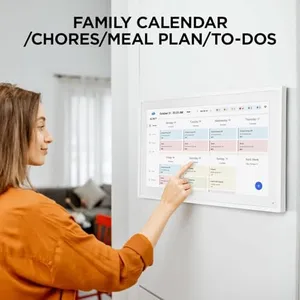
Display Size: 21.5 Inch
Screen Type and Resolution: 1920x1080 Full HD IPS touchscreen
Connectivity Options: WiFi
Calendar/App Compatibility: Google, Outlook, iCloud calendars
User Interface and Controls: touch-based
Mounting and Power Options: horizontal and vertical wall mount
Extra Features: photo frame, weather, sleep mode, 32GB

Digital Calendar, 15.6 Inch Wall Planner Electronic Calendar & Chore Chart, Smart Touchscreen Interactive Display for Family Schedules, Great for Organizing Your Routines, Wall & Desk Mountable
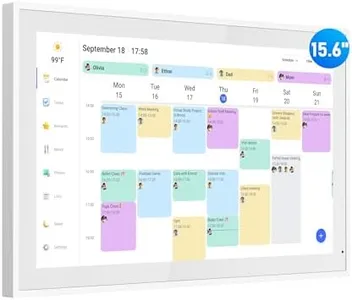
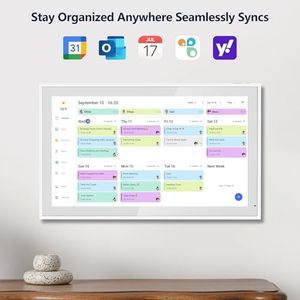
Display Size: 15.6 Inch
Screen Type and Resolution: bright HD touchscreen
Connectivity Options: Wi-Fi
Calendar/App Compatibility: Google, Outlook, iCloud, Cozi, Yahoo
User Interface and Controls: touch interface
Mounting and Power Options: wall or desk mount; plugs in
Extra Features: chore chart, meal planner, photos
How do we rank products for you?

Our technology thoroughly searches through the online shopping world, reviewing hundreds of sites. We then process and analyze this information, updating in real-time to bring you the latest top-rated products. This way, you always get the best and most current options available.

headphones-stars

Buying Guide for the Best Digital Wall Calendars

Choosing a digital wall calendar is a modern way to keep your schedule visible, organized, and easy to update. The right model can blend into your home or office decor while helping you and your family or team stay on track. When making your selection, think about who will use it, where it will be displayed, and what features will make your life easier. Focus on screen clarity, ease of use, compatibility with your devices, and any extra tools you might find helpful for staying organized.
Display SizeDisplay size refers to the measurement of the screen, usually given in inches diagonally from corner to corner. This is important because it affects how easily you can see the calendar from across a room. Smaller sizes (around 10-13 inches) work well for personal desks or tight corners, while medium sizes (14-18 inches) make sense for small family spaces. Large displays (19 inches or more) are best for big rooms or offices where several people check the calendar. Choose a size that fits your wall space and the distance from which you'll read events.
Screen Type and ResolutionScreen type tells you whether the display is LCD, LED, or e-ink, and resolution means how sharp and clear everything looks. LED and LCD screens tend to be bright and colorful, great for well-lit rooms. E-ink screens use less power and have a paper-like look, making them easy on the eyes in softer lighting. Resolution matters because higher numbers mean sharper images and easier-to-read text. Go for high resolution if everyone needs to see details, but lower resolution can be fine for basic, big-font displays.
Connectivity OptionsConnectivity covers how the calendar connects to your devices or the internet—think Wi-Fi, Bluetooth, or sometimes USB. Good connectivity is crucial if you want to sync calendars from your phone, computer, or internet services. Wi-Fi is the most versatile, letting calendars update in real time from various apps. Bluetooth usually needs you to be nearby, and USB is rarely needed except for initial setup. If you want automatic updates and sharing, look for built-in Wi-Fi support.
Calendar/App CompatibilityThis is about which digital calendars and apps your wall calendar can display—popular examples are Google Calendar, Apple Calendar, or Outlook. Some digital calendars work only with certain brands or apps, while others let you view multiple accounts in one place. If you already use a digital calendar on your phone or computer, check that your wall calendar supports it, so you don’t have to switch your whole routine.
User Interface and ControlsUser interface and controls refer to how you navigate and update the calendar, like using touch screens, buttons, or even voice commands. A simple, intuitive interface is important so everyone can easily add events or read the schedule. Touch screens are easy for most users, while older styles may have buttons for scrolling. Voice control can be helpful for hands-free operation. Think about who will use it most—kids, adults, or seniors—and choose a straightforward system.
Mounting and Power OptionsHow your digital wall calendar goes on the wall and how it gets power are both important. Some models come with wall mounting kits for a permanent install, while others have stands or can be propped on a shelf. Power can come from a regular plug (AC), batteries, or both. Plug-in models are best for long-term use in one spot; battery-powered ones offer flexibility but need recharging. Consider where you’ll place it and whether there’s a convenient outlet nearby.
Extra FeaturesSome digital calendars offer extras like weather updates, photo slideshows, reminders, or integration with smart home devices. These perks can make the calendar more useful in daily life, but more features can sometimes mean a busier display. Think about your main use: If you just want calendar info, a simpler model is fine, but if you like extra info at a glance, pick a calendar with bonus features that help you stay organized.

FAQ