Buying Guide for the Best 4 K 240 Hz Gaming Monitors
When choosing a 4K 240Hz gaming monitor, it's important to consider several key specifications to ensure you get the best performance and experience for your gaming needs. A 4K 240Hz monitor offers high resolution and refresh rate, which can significantly enhance your gaming visuals and responsiveness. Here are the key specs you should focus on and how to navigate them to find the best fit for you.ResolutionResolution refers to the number of pixels on the screen, with 4K meaning 3840 x 2160 pixels. This spec is important because higher resolution provides sharper and more detailed images. For gaming, a 4K resolution can make your games look incredibly crisp and immersive. If you prioritize visual fidelity and have a powerful graphics card, a 4K monitor is a great choice. However, ensure your system can handle the demands of 4K gaming to avoid performance issues.
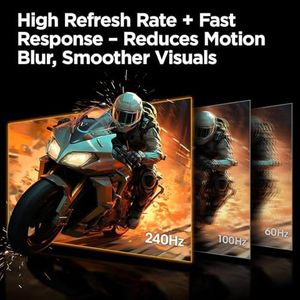
Refresh RateThe refresh rate, measured in Hertz (Hz), indicates how many times per second the monitor updates the image on the screen. A 240Hz refresh rate means the screen refreshes 240 times per second, which is crucial for smooth and fluid motion in fast-paced games. Higher refresh rates reduce motion blur and provide a more responsive gaming experience. If you play competitive or fast-action games, a 240Hz monitor can give you a significant advantage. However, make sure your graphics card can consistently deliver high frame rates to match the monitor's refresh rate.
Response TimeResponse time measures how quickly a pixel can change from one color to another, typically in milliseconds (ms). Lower response times reduce ghosting and motion blur, which is important for clear and sharp images during fast movements. For gaming, a response time of 1ms to 5ms is ideal. If you play a lot of fast-paced games, look for a monitor with a lower response time to ensure the best visual clarity and performance.
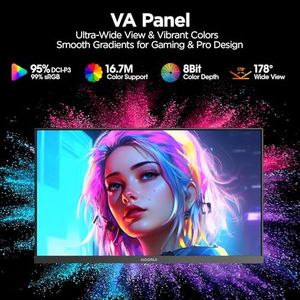
Panel TypeThe panel type affects the monitor's color accuracy, viewing angles, and response times. The most common types are IPS (In-Plane Switching), TN (Twisted Nematic), and VA (Vertical Alignment). IPS panels offer the best color accuracy and viewing angles but may have slightly higher response times. TN panels have the fastest response times and are often cheaper but have poorer color reproduction and viewing angles. VA panels offer a good balance with better color and contrast than TN and better response times than IPS. Choose a panel type based on your priorities: color accuracy and viewing angles (IPS), fastest response times (TN), or a balance of both (VA).
Adaptive Sync TechnologyAdaptive Sync technologies like G-Sync (NVIDIA) and FreeSync (AMD) help to eliminate screen tearing and stuttering by synchronizing the monitor's refresh rate with the graphics card's frame rate. This is important for a smoother and more enjoyable gaming experience. If you have an NVIDIA graphics card, look for a monitor with G-Sync support. If you have an AMD graphics card, look for FreeSync support. This ensures compatibility and optimal performance with your system.
Connectivity OptionsConnectivity options refer to the types and number of ports available on the monitor, such as HDMI, DisplayPort, and USB. These are important for ensuring you can connect your monitor to your gaming PC and other devices. For 4K 240Hz gaming, DisplayPort 1.4 or HDMI 2.1 are necessary to support the high bandwidth required. Make sure the monitor has the appropriate ports for your setup and consider additional ports for peripherals and future-proofing.
Ergonomics and AdjustabilityErgonomics and adjustability refer to the monitor's ability to tilt, swivel, pivot, and adjust in height. This is important for finding a comfortable and ergonomic viewing position, which can reduce strain during long gaming sessions. Look for a monitor with a stand that offers a wide range of adjustments or consider a VESA mount compatible monitor if you plan to use a custom stand or arm. Comfort and ergonomics can significantly impact your gaming experience and overall health.